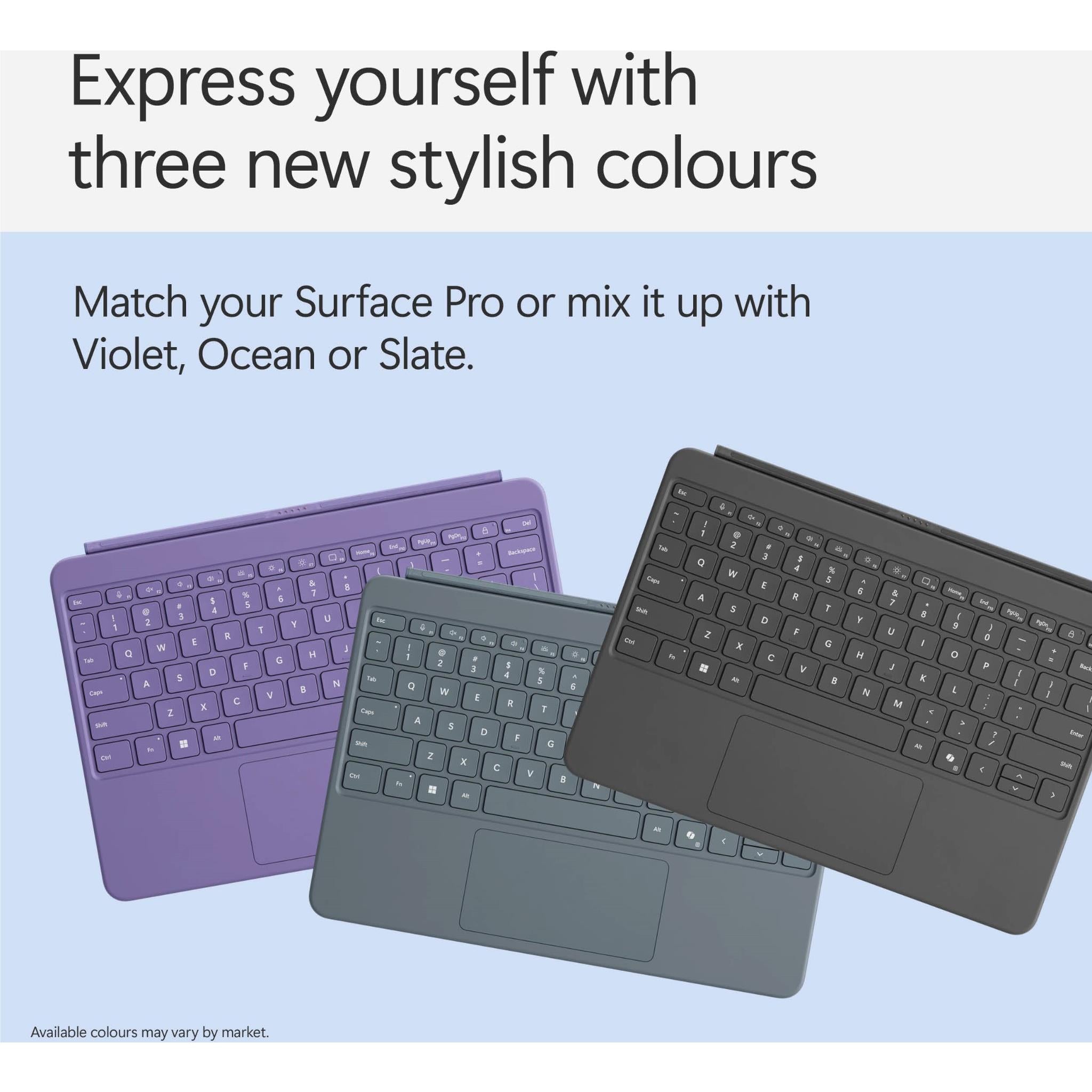

Microsoft Surface Pro Keyboard

Best productivity upgrade for tablet users needing laptop-like typing and precision.
This keyboard transforms your tablet into a legitimate workstation without the bulk of a traditional laptop. While the Alcantara finish requires a bit more care to keep pristine, the integrated pen storage and tactile mechanical keys make it an essential upgrade for serious mobile productivity.
$50.00
at
Gocwi
Who it's for
- Digital artists needing constant access to a charged stylus
- Remote workers requiring a comfortable, laptop-like typing experience
- Commuters needing quick, reliable transitions between tablet and laptop modes
Who should skip it
- Budget-conscious buyers looking for affordable tablet accessories
- Minimalists prioritizing the lightest possible tablet setup
- Heavy users wanting a keyboard that stays pristine over time
Performance breakdown
Typing Experience
Mechanical switches deliver satisfying tactile feedback rarely found in tablet covers.
Stylus Precision
High pressure sensitivity makes digital sketching feel remarkably natural and fluid.
Build Quality
Premium fabric finish balances sophisticated aesthetics with durable, eco-conscious construction.
Ergonomic Versatility
Dynamic hinge allows for precise screen angles in any workspace setup.
Productivity Integration
Dedicated Copilot key streamlines AI-driven workflows directly from the keyboard.
Portability
Slim profile protects the screen without adding significant bulk to travel.
Key Specs
Accessory type
Keyboards
Keyboard layout
Standard
Case colour
Slate
Microsoft Surface accessory
Yes
Keyboard Activation
Moving (mechanical) keys
Interface
Magnetic
Pen Pressure Sensitivity
4,096 pressure levels
Pen Battery
Rechargeable Lithium Ion (Up to 15 hours typical usage)
Connectivity Type
Bluetooth
Switch Type
Mechanical
What Reviewers Say



Know before you buy
Still have a question?
Ask Metto anything about the Microsoft Surface Pro Keyboard before you decide.