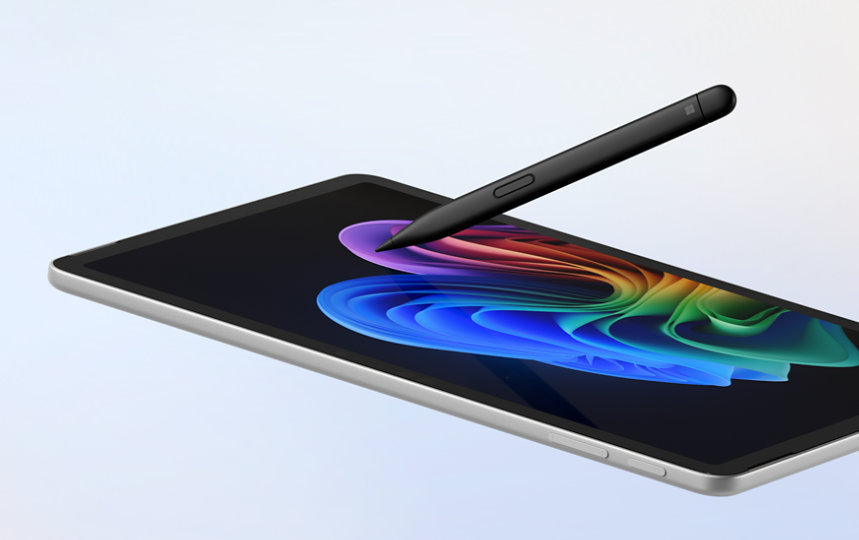

Microsoft Surface Slim Pen

Best precision tool for digital artists and professional note takers.
This is the gold standard for digital artists who crave the tactile feedback of real paper without the mess. While the flat, ergonomic shape takes some getting used to, the haptic precision and seamless integration make it an indispensable tool for anyone serious about sketching or note-taking on a screen.
$129.99
at
Microsoft
More Surface Slim Pen options
Who it's for
- Digital artists seeking a more realistic drawing feel on glass
- Mobile professionals who need a reliable, always-charged input tool
- Students and commuters prioritizing portability and easy storage
Who should skip it
- Budget-conscious users looking for a simple, low-cost stylus alternative
- Owners of older Surface devices who cannot access all features
- Heavy note-takers who prefer the grip of a standard pen
Performance breakdown
Pressure Sensitivity
4,096 levels deliver nuanced, fluid strokes for professional-grade digital illustration.
Ergonomic Comfort
The unique flat profile reduces hand fatigue during long creative sessions.
Haptic Feedback
Tactile responses mimic the satisfying friction of real pen on paper.
Charging Convenience
Magnetic wireless charging ensures the pen is always powered and ready.
Palm Rejection
Advanced software effectively ignores accidental touches for a natural writing posture.
Workflow Integration
Programmable buttons and Copilot features streamline complex creative and productivity tasks.
Key Specs
Stylus Type
Active Stylus
Pressure Levels
4096
Tilt Support
Yes
Palm Rejection
Yes
Charging Method
Magnetic Attachment
Magnetic Attachment
Yes
Programmable Buttons
Yes
Primary Use
Note Taking, Digital Art
Device Compatibility
Microsoft Surface
Know before you buy
Still have a question?
Ask Metto anything about the Microsoft Surface Slim Pen before you decide.