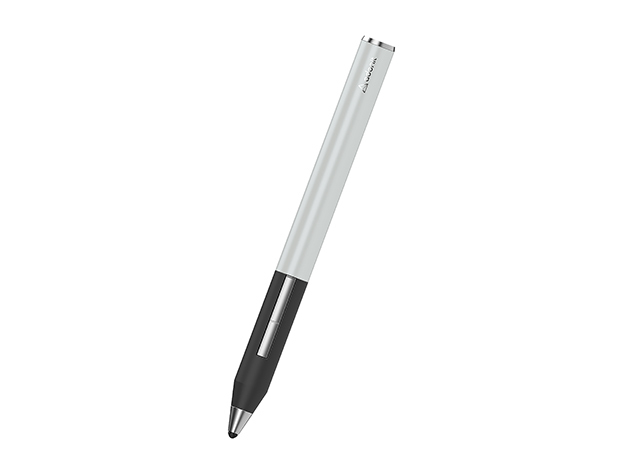

Adonit Jot Touch Stylus

Best precision tool for digital artists seeking fine point control.
This tool transforms a standard tablet into a professional-grade canvas. By bridging the gap between cloud-based design software and physical input, it offers a level of control that touchscreens simply cannot match. It is an essential upgrade for anyone serious about digital illustration or precise note-taking on the go.
$29.99
at
StackSocial
More Jot Touch options
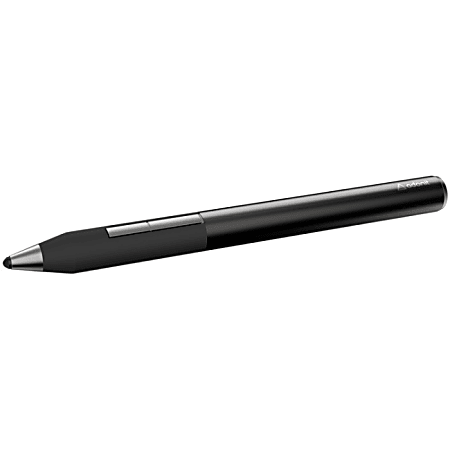
Who it's for
- Digital artists seeking fine line control and clear sightlines
- Illustrators wanting a natural drawing experience on their iPad
- Efficient creators looking to streamline their digital painting process
Who should skip it
- Users who rely on non-supported or niche drawing apps
- Technical drafters requiring perfectly straight slow-motion lines
- Frequent travelers who prefer universal charging solutions
Performance breakdown
Stroke Precision
The fine-point tip delivers remarkably accurate lines for detailed digital illustration.
Pressure Sensitivity
2,048 levels capture subtle variations in line weight and shading depth.
Workflow Integration
Direct Adobe Creative Cloud syncing streamlines the transition from sketch to file.
Ergonomic Comfort
Palm rejection allows for a natural, relaxed hand position during long sessions.
Shortcut Efficiency
Programmable buttons keep essential tools within reach, minimizing menu navigation time.
Battery Endurance
Eleven hours of runtime covers a full workday of creative tasks.
Key Specs
Tip Size
3.18 mm
Pressure Levels
2048
Battery Life
11 hours
Charging Time
1.5 hours
Compatibility
iPad (3rd/4th Gen), iPad Air, iPad mini
Connectivity
Bluetooth
Features
Adobe Creative Cloud integration, Palm Rejection, Programmable Buttons
Know before you buy
Still have a question?
Ask Metto anything about the Adonit Jot Touch Stylus before you decide.