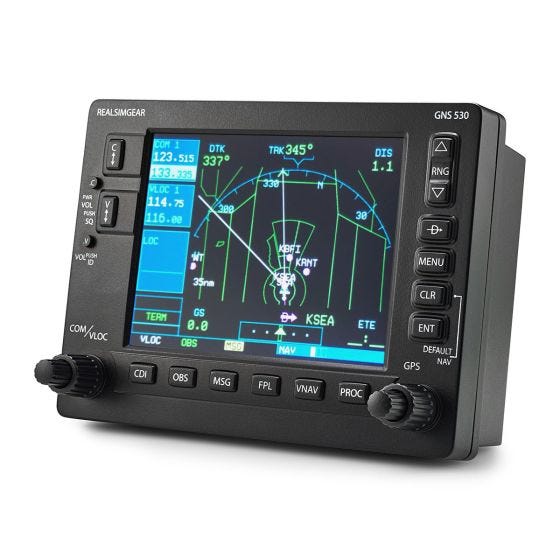
RealSimGear GNS530

Best tactile navigation interface for serious flight simulation enthusiasts.
This is the closest you can get to a real cockpit without leaving your desk. By replacing mouse-clicking with physical tactile controls and a dedicated screen, it transforms abstract flight simulation into genuine muscle memory training. It’s a dedicated tool for serious pilots, though it demands a permanent spot on your rig.
$369.00
at
Sportys
Who it's for
- Flight students practicing instrument procedures for real-world certification
- Home cockpit builders seeking a hassle-free hardware installation
- Simmers wanting to reduce screen clutter and increase immersion
Who should skip it
- Casual gamers on a tight budget or limited flight time
- Users with limited desk space or no permanent cockpit setup
- Tech-averse pilots who prefer simple, driver-free peripherals
Performance breakdown
Tactile Authenticity
Buttons and knobs provide satisfying, realistic feedback for procedural training.
Display Clarity
The 5-inch screen delivers sharp, readable avionics data without lag.
Setup Simplicity
Plug-and-play functionality gets you airborne in minutes, not hours.
Build Robustness
Solid construction withstands the rigors of frequent, intense flight sessions.
Platform Versatility
Seamless integration across major flight sims ensures broad software compatibility.
Mounting Flexibility
Easily transitions from desktop unit to integrated cockpit panel seamlessly.
Key Specs
Screen Size
5 inches
Connectivity
USB and HDMI
Power Source
110-240V AC
Mounting Type
Desktop or Panel Mount
Compatibility
X-Plane 11, Prepar3D v3/v4, MSFS 2020
Buttons
Tactile silicone
Platform Compatibility
Windows PC
Plug and Play Support
Yes
Know before you buy
Still have a question?
Ask Metto anything about the RealSimGear GNS530 before you decide.