

Who it's for
- Independent Logging Function
- Reliable Performance
- Accurate Geotagging
Who should skip it
- High Cost and Bulk
- Hot Shoe Occupancy
- Battery Drain
Key Specs
Attachment Method
Attaches to camera's USB port, hot-shoe or Digital terminal
Frequency
Reception: 1575.42 MHz (L1 band)
Positioning Intervals
Every 1, 5, 10, 15, or 30 sec, or every 1, 2, or 5 min
Reception Status
Satellite: Shown on the GPS indicator (red). Before signal acquisition: Fast blinking. Signal acquired: Slow blinking
Logging Intervals
Every 1, 5, 10, 15, or 30 sec, or every 1, 2, or 5 min
Log File Format
NMEA-0813
File Usage
Images can be geotagged using Map Utility with log files. Log files can be converted to KMZ files using Map Utility. Routes the camera has traveled can be viewed in Google Earth or other map software by loading the KMZ files
Modes
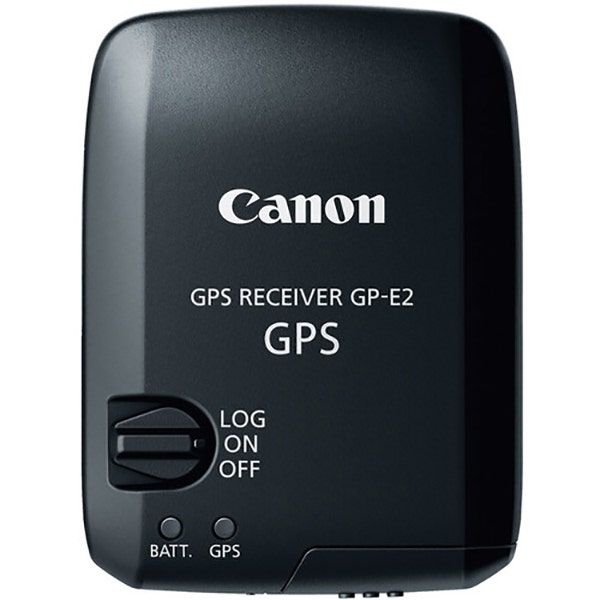
Power Switch set to On: Location information (latitude, longitude, altitude, direction, and UTC time) is automatically added to images as EXIF information when taking pictures. Power Switch set to LOG: Location information (latitude, longitude, altitude, and UTC time) is recorded on GPS Receiver GP-E2 at the specified interval. Location information (latitude, longitude, altitude, direction, and UTC time) is automatically added to images as EXIF information when taking pictures. Connected to a Computer: Supports the following operations when GPS Receiver GP-E2 is connected to a computer and Map Utility is used to access GPS Receiver GP-E2's log files: Import logs to the computer, Delete logs, Manually geotag shots without GPS information by adding location information (latitude, longitude, altitude, and UTC time) to image as EXIF information, View a route of where the camera has traveled on a map, Produce KMZ files from log files, Update EOS 7D firmware.
Operating Temperature
32 to 104°F (0 to 40°C)
Operating Humidity
85% or less
Still have a question?
Ask Metto anything about the Canon GPS Receiver GP-E2 before you decide.