
How to Choose a Digital Pen That Actually Feels Right
Our team uses AI to gather and suggest products, but our experts ensure every recommendation meets our high standards.

Key considerations
Perfect Pens For Everyday Notes


Logitech Crayon Digital Pencil
Best digital stylus for students needing precise note-taking on iPads.
This is the most intuitive way to turn an iPad into a digital notebook without the premium price tag of a professional stylus. You sacrifice pressure sensitivity, but you gain a rugged, kid-proof design that feels just as natural for sketching or jotting down quick notes.
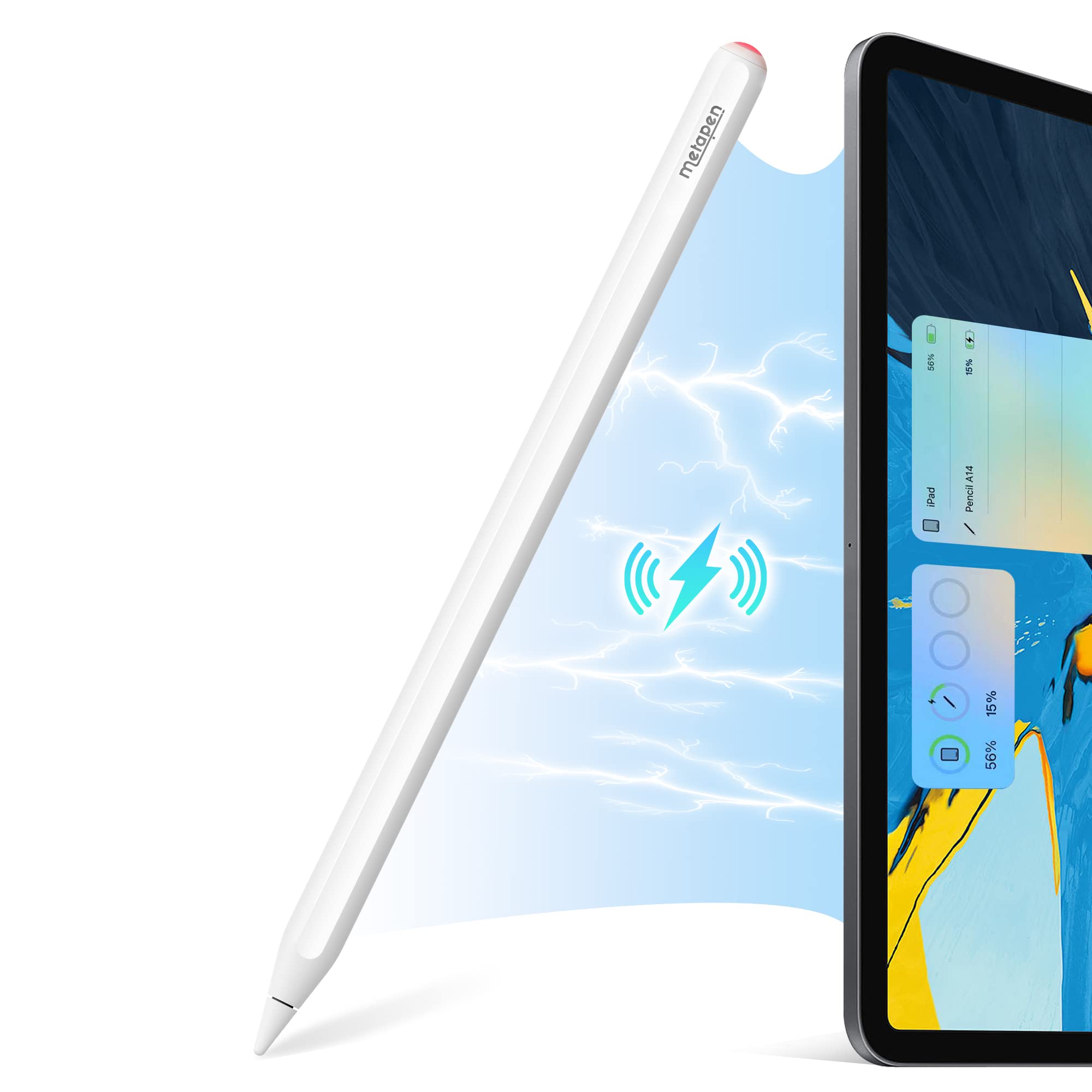

Metapen A14
Best affordable stylus for students and casual digital note-takers.
This is the ultimate daily driver for note-takers and document signers who prioritize efficiency over artistic nuance. You sacrifice pressure sensitivity, but you gain a seamless, magnetic-charging experience that feels like a natural extension of your iPad.
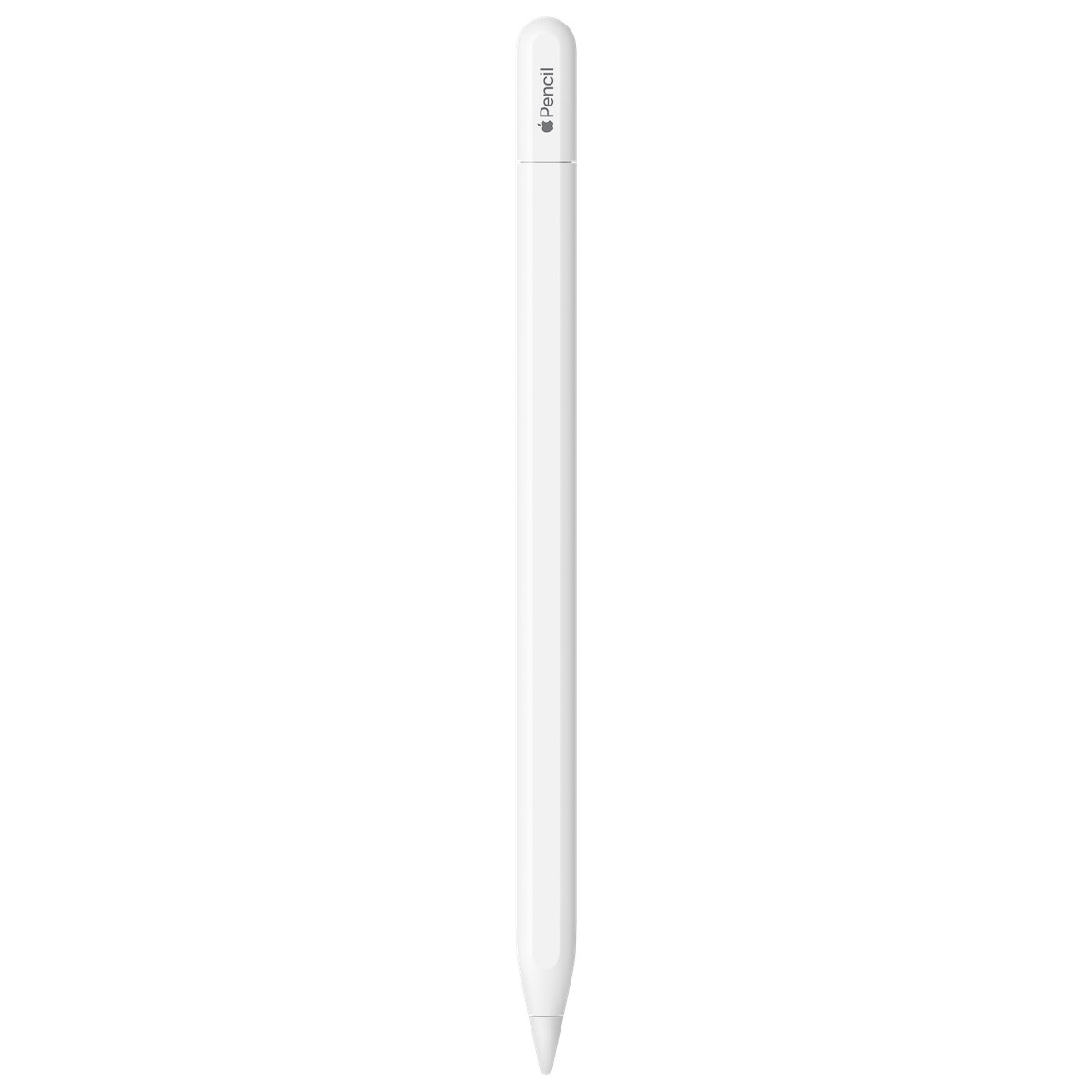
Apple Pencil
Best entry-level stylus for students and casual digital note-takers.
This is the most accessible way to turn a tablet into a legitimate digital sketchbook or notepad. While it lacks the pressure sensitivity found in higher-end models, the pixel-perfect precision and seamless USB-C charging make it the essential, no-fuss tool for everyday annotations and casual creative work.

Lenovo Digital Pen 2
Best digital stylus for students and creatives needing precise note-taking control.
This stylus bridges the gap between digital convenience and the tactile precision of a traditional pen. While it lacks the complex bells and whistles of professional-grade tablets, its refined pressure sensitivity and ergonomic build make it the most reliable tool for everyday sketching and document management.
| Product | Overall rating | Price | Best for | Skip if | Device compatibility | Connection type | Pressure sensitivity levels | Tilt support | Palm rejection | Battery life hours | Charging method | Number of programmable buttons | Body material | Weight grams | Tip material | Replaceable nibs | Verdict |
|---|---|---|---|---|---|---|---|---|---|---|---|---|---|---|---|---|---|
|
Top Pick
4.6
|
Best digital stylus for students needing precise note-taking on iPads. |
- |
iPad |
Proprietary Wireless |
0.0 |
Yes |
Yes |
7.5 |
- |
0.0 |
Aluminum |
20.0 |
- |
- |
This is the most intuitive way to turn an iPad into a digital notebook without the premium price tag of a professional stylus. You sacrifice pressure sensitivity, but you gain a rugged, kid-proof design that feels just as natural for sketching or jotting down quick notes. |
||
|
Runner Up
4.6
|
Best affordable stylus for students and casual digital note-takers. |
- |
iPad |
Bluetooth |
0.0 |
Yes |
Yes |
0.0 |
Wireless Charging |
0.0 |
Plastic |
0.0 |
POM |
- |
This is the ultimate daily driver for note-takers and document signers who prioritize efficiency over artistic nuance. You sacrifice pressure sensitivity, but you gain a seamless, magnetic-charging experience that feels like a natural extension of your iPad. |
||
|
Runner Up
4.1
|
Best entry-level stylus for students and casual digital note-takers. |
- |
iPad |
- |
0.0 |
Yes |
Yes |
- |
USB-C |
0.0 |
Plastic |
20.5 |
POM |
- |
This is the most accessible way to turn a tablet into a legitimate digital sketchbook or notepad. While it lacks the pressure sensitivity found in higher-end models, the pixel-perfect precision and seamless USB-C charging make it the essential, no-fuss tool for everyday annotations and casual creative work. |
||
|
Runner Up
4.3
|
Best digital stylus for students and creatives needing precise note-taking control. |
- |
iPad, Microsoft Surface, Samsung Galaxy, Android Tablet |
- |
4096.0 |
- |
- |
- |
- |
2.0 |
- |
- |
Rubber |
- |
This stylus bridges the gap between digital convenience and the tactile precision of a traditional pen. While it lacks the complex bells and whistles of professional-grade tablets, its refined pressure sensitivity and ergonomic build make it the most reliable tool for everyday sketching and document management. |

What Digital Artists Need
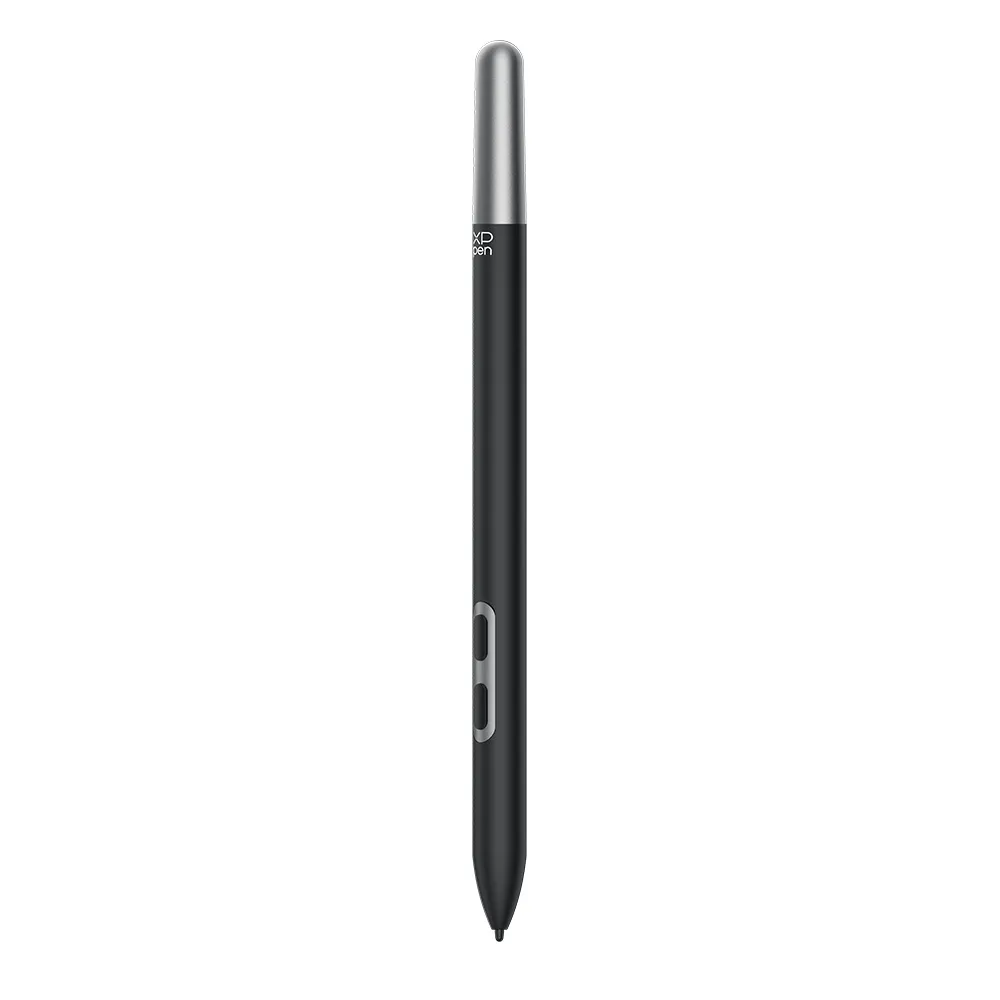
XP-Pen X3 Pro Stylus
Best high precision tool for professional digital illustrators and hobbyists.
This battery-free tool delivers industry-leading precision with double the pressure sensitivity of standard models. It offers a natural, paper-like drawing experience, making it an essential upgrade for artists who prioritize accuracy and comfort during long creative sessions.

SaharaCase Stylus
Best budget friendly alternative for students and casual note takers.
A straightforward, no-nonsense stylus that skips the pairing process entirely. It offers reliable pressure sensitivity for basic creative work and note-taking, making it a practical choice for those who prefer a simple, ready-to-use tool over complex digital features.
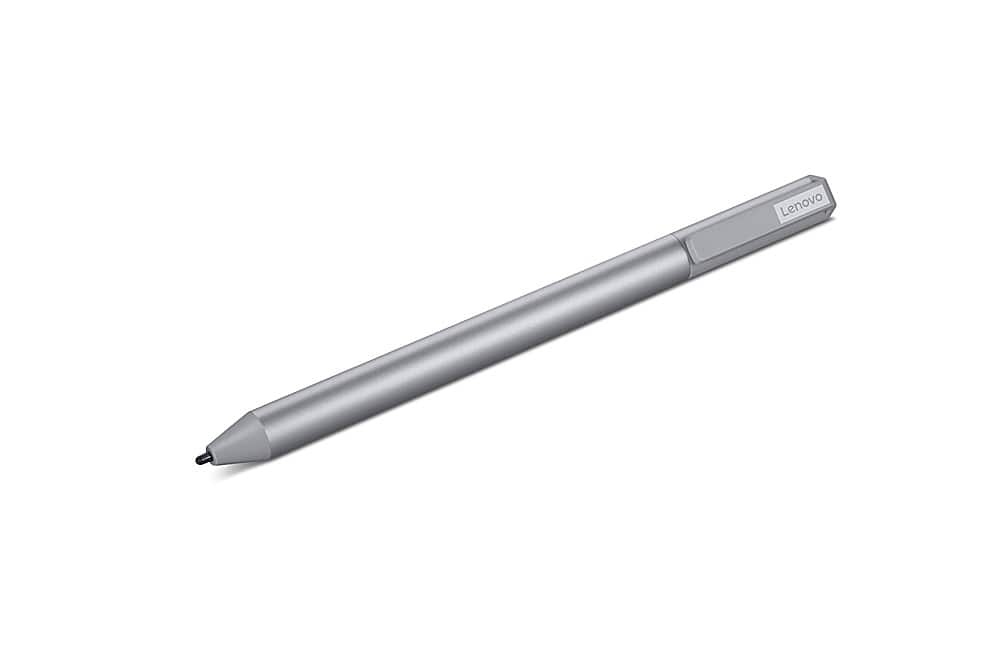
Lenovo USI Stylus Pen 2
Best digital stylus for Chromebook-based students and creative artists.
This stylus turns your laptop into a dedicated digital canvas with a surprisingly natural, paper-like feel. While it lacks the complex customization of professional-grade tablets, its seamless pairing and precise pressure sensitivity make it the most intuitive way to take notes or sketch directly on your Chromebook.

Gaomon Artpaint AP40
Best ergonomic replacement stylus for digital illustrators seeking battery free performance.
This rechargeable stylus offers precise control with high pressure sensitivity and tilt support for natural shading. Designed for specific display tablets, it features customizable shortcut keys and an ergonomic grip to enhance workflow efficiency during digital illustration tasks.
| Product | Overall rating | Price | Best for | Skip if | Device compatibility | Pressure levels | Palm rejection | Connectivity type | Battery life hours | Charging method | Tilt support | Material | Tip material | Replaceable tips | Programmable buttons | Weight grams | Verdict |
|---|---|---|---|---|---|---|---|---|---|---|---|---|---|---|---|---|---|
|
Top Pick
4.6
|
Best high precision tool for professional digital illustrators and hobbyists. |
- |
Artist Pro Gen 2, Deco Pro Gen 2 |
16384.0 |
Yes |
Passive |
- |
- |
Yes |
Plastic |
felt |
Yes |
Yes |
16.0 |
This battery-free tool delivers industry-leading precision with double the pressure sensitivity of standard models. It offers a natural, paper-like drawing experience, making it an essential upgrade for artists who prioritize accuracy and comfort during long creative sessions. |
||
|
Runner Up
4.5
|
Best budget friendly alternative for students and casual note takers. |
- |
Universal Android |
4096.0 |
- |
Passive |
- |
USB-C |
- |
Aluminum Alloy |
Rubber |
- |
- |
- |
A straightforward, no-nonsense stylus that skips the pairing process entirely. It offers reliable pressure sensitivity for basic creative work and note-taking, making it a practical choice for those who prefer a simple, ready-to-use tool over complex digital features. |
||
|
Runner Up
4.4
|
Best digital stylus for Chromebook-based students and creative artists. |
- |
Chromebook, Universal Android |
4096.0 |
- |
Bluetooth |
- |
AAA Batteries |
Yes |
Plastic |
- |
- |
- |
- |
This stylus turns your laptop into a dedicated digital canvas with a surprisingly natural, paper-like feel. While it lacks the complex customization of professional-grade tablets, its seamless pairing and precise pressure sensitivity make it the most intuitive way to take notes or sketch directly on your Chromebook. |
||
|
Runner Up
4.4
|
Best ergonomic replacement stylus for digital illustrators seeking battery free performance. |
- |
PD1560 |
8192.0 |
- |
Rechargeable |
0.0 |
USB |
Yes |
Plastic |
- |
Yes |
Yes |
70 |
This rechargeable stylus offers precise control with high pressure sensitivity and tilt support for natural shading. Designed for specific display tablets, it features customizable shortcut keys and an ergonomic grip to enhance workflow efficiency during digital illustration tasks. |
Cheap Alternatives That Work

BoxWave Styra
Best hybrid tool for professionals balancing digital and paper note-taking.
This hybrid tool bridges the gap between your paper notebook and your tablet, letting you switch from sketching ideas to scrolling feeds without swapping instruments. It lacks the advanced pressure sensitivity of high-end digital styli, but for everyday note-taking and navigation, the convenience of having a reliable pen and capacitive tip in one hand is unmatched.
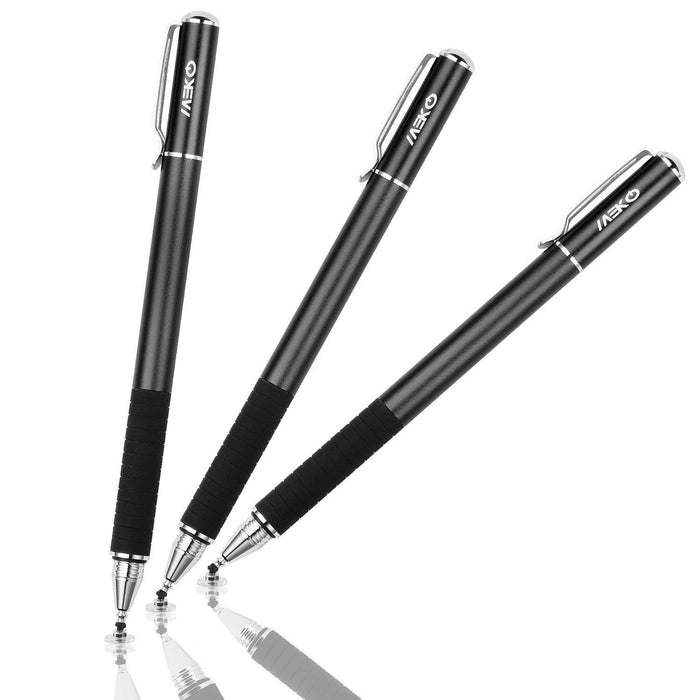

Meko Stylus
Best versatile tool for digital artists and casual touchscreen users.
This versatile stylus offers two distinct tips for different needs: a fun, finger-shaped rubber tip and a precise, transparent disc tip. It ensures smooth, accurate input across a wide range of touch screen devices, from smartphones to laptops, with easy-to-replace tips and a convenient storage case.


Liberrway Stylus Pen
Best affordable stylus pack for everyday touchscreen navigation and precision.
These passive input tools offer a reliable, battery-free way to navigate touchscreens. They provide a simple, tactile experience for basic browsing and note-taking, ensuring screens stay smudge-free without the complexity of pairing or charging.
| Product | Overall rating | Price | Best for | Skip if | Device compatibility | Pressure levels | Palm rejection | Connectivity type | Battery life hours | Charging method | Tilt support | Material | Tip material | Replaceable tips | Programmable buttons | Weight grams | Verdict |
|---|---|---|---|---|---|---|---|---|---|---|---|---|---|---|---|---|---|
|
Top Pick
4.4
|
Best hybrid tool for professionals balancing digital and paper note-taking. |
- |
Universal Android |
0.0 |
- |
Passive |
- |
- |
- |
- |
Rubber |
- |
- |
- |
This hybrid tool bridges the gap between your paper notebook and your tablet, letting you switch from sketching ideas to scrolling feeds without swapping instruments. It lacks the advanced pressure sensitivity of high-end digital styli, but for everyday note-taking and navigation, the convenience of having a reliable pen and capacitive tip in one hand is unmatched. |
||
|
Runner Up
4.5
|
Best versatile tool for digital artists and casual touchscreen users. |
- |
iPad Pro, iPad Air, iPad Mini, Microsoft Surface, Chromebook |
0.0 |
- |
Passive |
0.0 |
- |
- |
Plastic |
Rubber |
Yes |
- |
0.0 |
This versatile stylus offers two distinct tips for different needs: a fun, finger-shaped rubber tip and a precise, transparent disc tip. It ensures smooth, accurate input across a wide range of touch screen devices, from smartphones to laptops, with easy-to-replace tips and a convenient storage case. |
||
|
Runner Up
4.3
|
Best affordable stylus pack for everyday touchscreen navigation and precision. |
- |
Universal Android, Microsoft Surface |
- |
- |
Passive |
- |
- |
- |
Plastic |
Rubber |
- |
- |
- |
These passive input tools offer a reliable, battery-free way to navigate touchscreens. They provide a simple, tactile experience for basic browsing and note-taking, ensuring screens stay smudge-free without the complexity of pairing or charging. |
Moving Between Different Screens

Adonit NEO Ink Stylus
Best precision tool for dedicated digital note takers and artists.
A reliable, active input tool designed specifically for the Windows ecosystem. It balances essential features like palm rejection and magnetic storage, making it a straightforward choice for users who need a consistent, no-fuss writing experience on their tablets.
Meko Stylus
Best universal stylus for students and digital artists on the go.
This universal stylus bridges the gap between high-end tablets and everyday devices, offering a surprisingly natural writing feel with tilt support and palm rejection. You sacrifice the deep, app-specific integration of proprietary pens, but you gain a versatile, durable tool that works across almost any touchscreen you own.
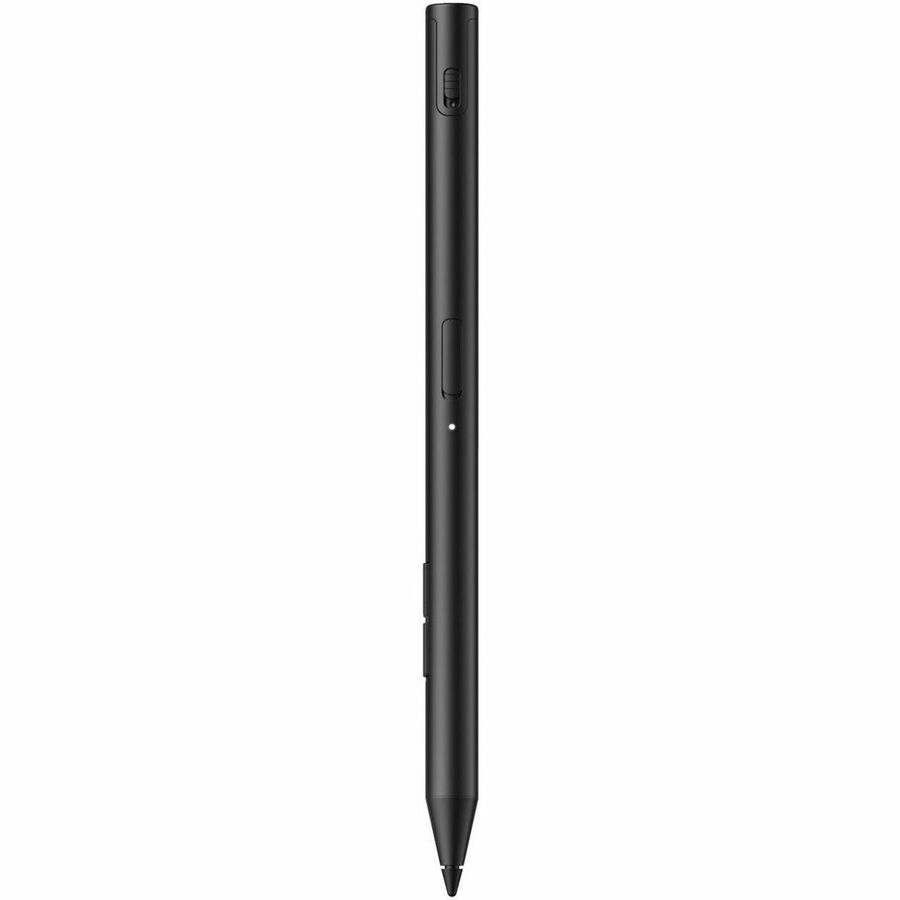
HP 705 Pen
Best versatile digital stylus for students and creative professionals.
This versatile tool bridges the gap between multiple devices with ease, offering a natural, responsive writing experience. It prioritizes productivity through customizable controls and a long-lasting rechargeable battery, making it a reliable companion for daily digital tasks.
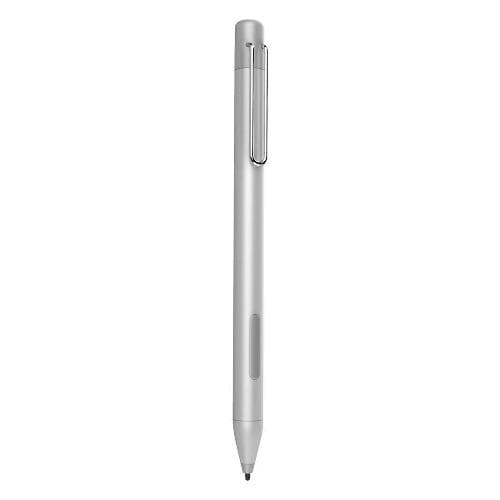
SaharaCase SaharaBasics Stylus Pen
Best active stylus for Microsoft Surface users needing precise digital note-taking.
This is the ideal tool for turning your tablet into a dedicated digital notebook. While it lacks the high-end bells and whistles of premium artist-grade styluses, it nails the essentials—offering a natural, responsive feel and quick app shortcuts that make daily note-taking feel seamless and intuitive.
| Product | Overall rating | Price | Best for | Skip if | Device compatibility | Pressure levels | Palm rejection | Connectivity type | Battery life hours | Charging method | Tilt support | Material | Tip material | Replaceable tips | Programmable buttons | Weight grams | Verdict |
|---|---|---|---|---|---|---|---|---|---|---|---|---|---|---|---|---|---|
|
Top Pick
4.3
|
Best precision tool for dedicated digital note takers and artists. |
- |
Microsoft Surface |
0.0 |
Yes |
- |
0.0 |
- |
- |
- |
- |
- |
- |
0.0 |
A reliable, active input tool designed specifically for the Windows ecosystem. It balances essential features like palm rejection and magnetic storage, making it a straightforward choice for users who need a consistent, no-fuss writing experience on their tablets. |
||
|
Runner Up
4.4
|
Best universal stylus for students and digital artists on the go. |
- |
Universal Android |
0.0 |
Yes |
Passive |
10.0 |
USB-C |
Yes |
Aluminum Alloy |
POM Plastic |
Yes |
- |
16.0 |
This universal stylus bridges the gap between high-end tablets and everyday devices, offering a surprisingly natural writing feel with tilt support and palm rejection. You sacrifice the deep, app-specific integration of proprietary pens, but you gain a versatile, durable tool that works across almost any touchscreen you own. |
||
|
Runner Up
4.4
|
Best versatile digital stylus for students and creative professionals. |
- |
Microsoft Surface |
0.0 |
- |
USB-C Direct Connection |
600.0 |
USB-C |
Yes |
Plastic |
POM Plastic |
- |
Yes |
13.04 |
This versatile tool bridges the gap between multiple devices with ease, offering a natural, responsive writing experience. It prioritizes productivity through customizable controls and a long-lasting rechargeable battery, making it a reliable companion for daily digital tasks. |
||
|
Runner Up
4.3
|
Best active stylus for Microsoft Surface users needing precise digital note-taking. |
- |
Microsoft Surface |
1024.0 |
- |
- |
- |
- |
- |
Aluminum Alloy |
POM Plastic |
- |
- |
- |
This is the ideal tool for turning your tablet into a dedicated digital notebook. While it lacks the high-end bells and whistles of premium artist-grade styluses, it nails the essentials—offering a natural, responsive feel and quick app shortcuts that make daily note-taking feel seamless and intuitive. |
Metto aggregates product information from across the web and recommended based on criteria. When you buy through our links, we may earn a commission.
Continue with a custom search...
Use what you learned in this guide to find more products tailored to your preferences and priorities.
Stay in the loop
New feature alerts, shopping guides and suggested products delivered straight to your inbox.
Thanks for subscribing! We'll keep you up to date.
Stay in the loop
New feature alerts, shopping guides and suggested products delivered straight to your inbox.
Thanks for subscribing! We'll keep you up to date.